 Atrain
For coaches, athletes and clubs
Training plans and a training log for athletics
The coach writes the week’s trainings for a group, a squad or picked athletes. Athletes have them on their phone and log how each one went. Atrain loads race results from atletika.cz.
Coach the group’s week
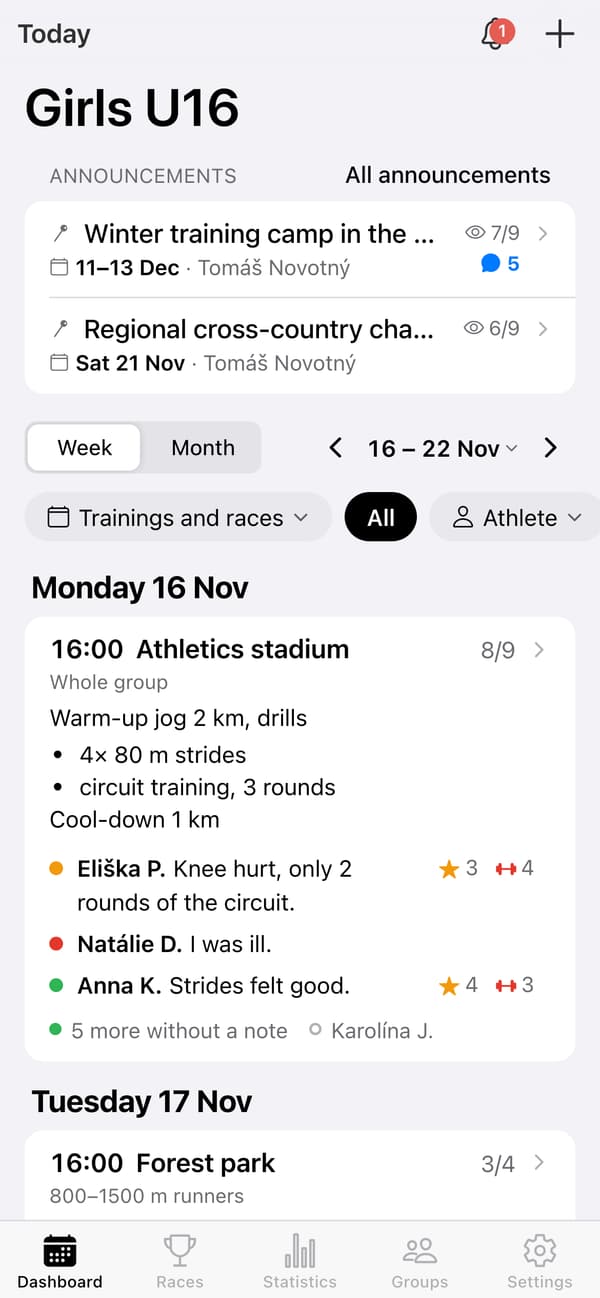
Athlete logging a training
Who it’s for
One app for the coach and the athletes
Coaches
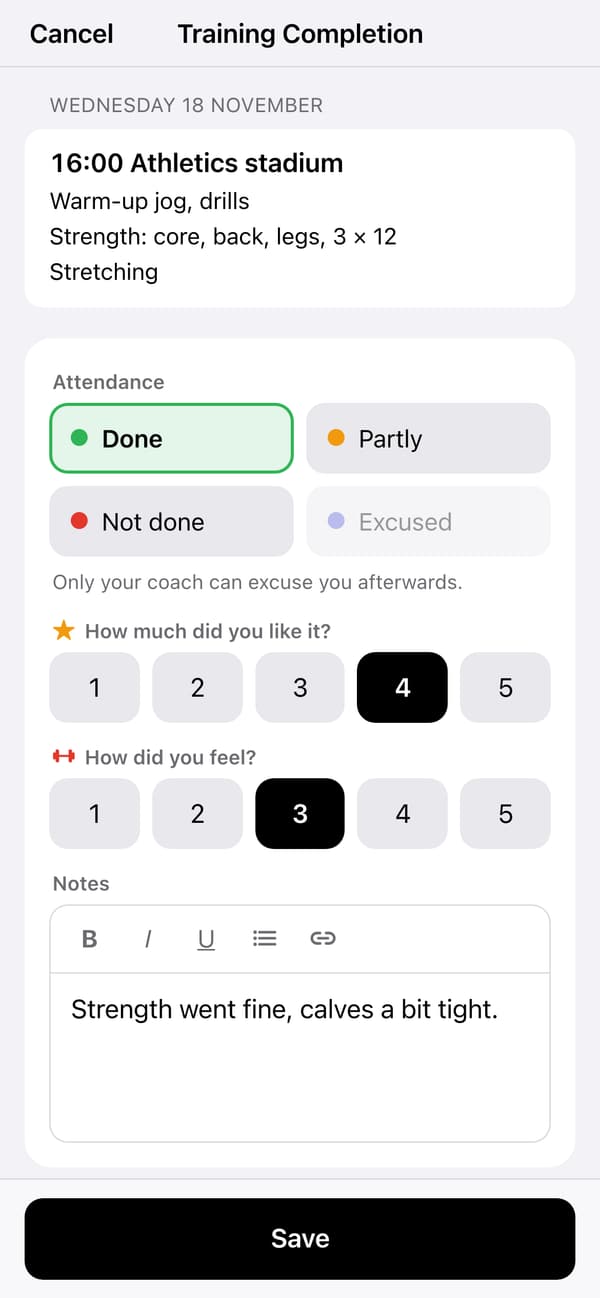
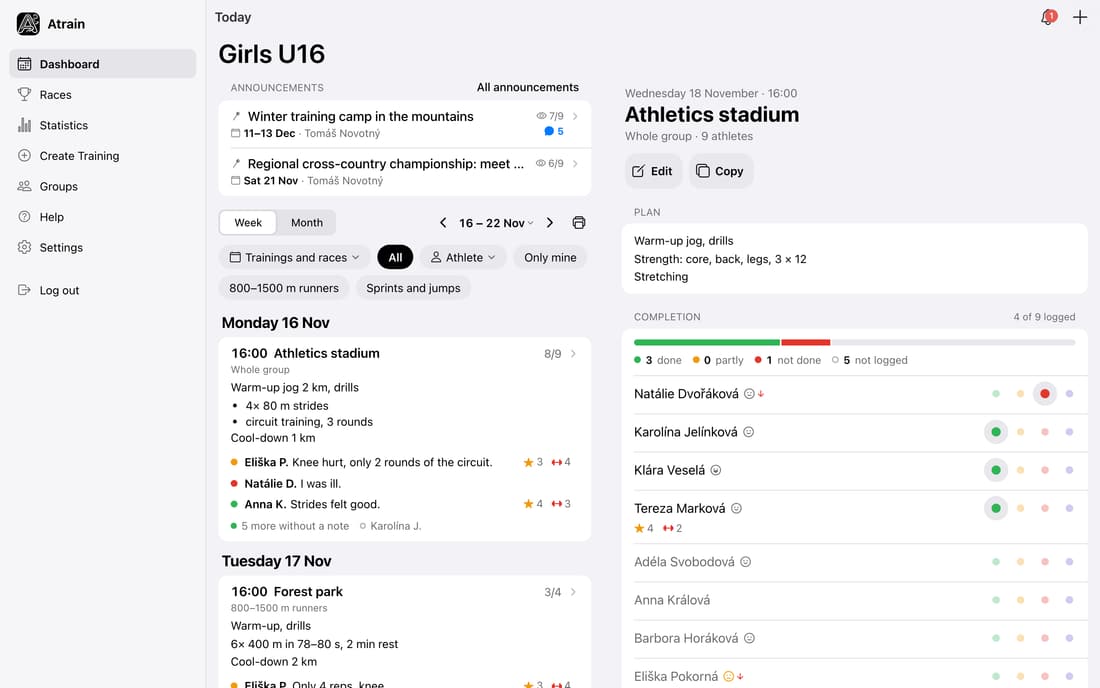
Write a training once and the whole group, a squad or the athletes you pick get it. The dashboard shows the week or the month: who did the training, how they rated it and what they wrote to you.
Athletes
Your coach’s trainings are on your phone, day by day. After a training you log whether you did it, how you liked it and how you felt. Extra trainings you log yourself.
Clubs
Every training group has its coach and can have assistants who write trainings with them. An athlete can be in several groups and squads.
How it works
A coach’s week with Atrain
From Sunday’s plan to looking back at the week. This is an ordinary week of a group that trains with Atrain.
-
Sunday evening
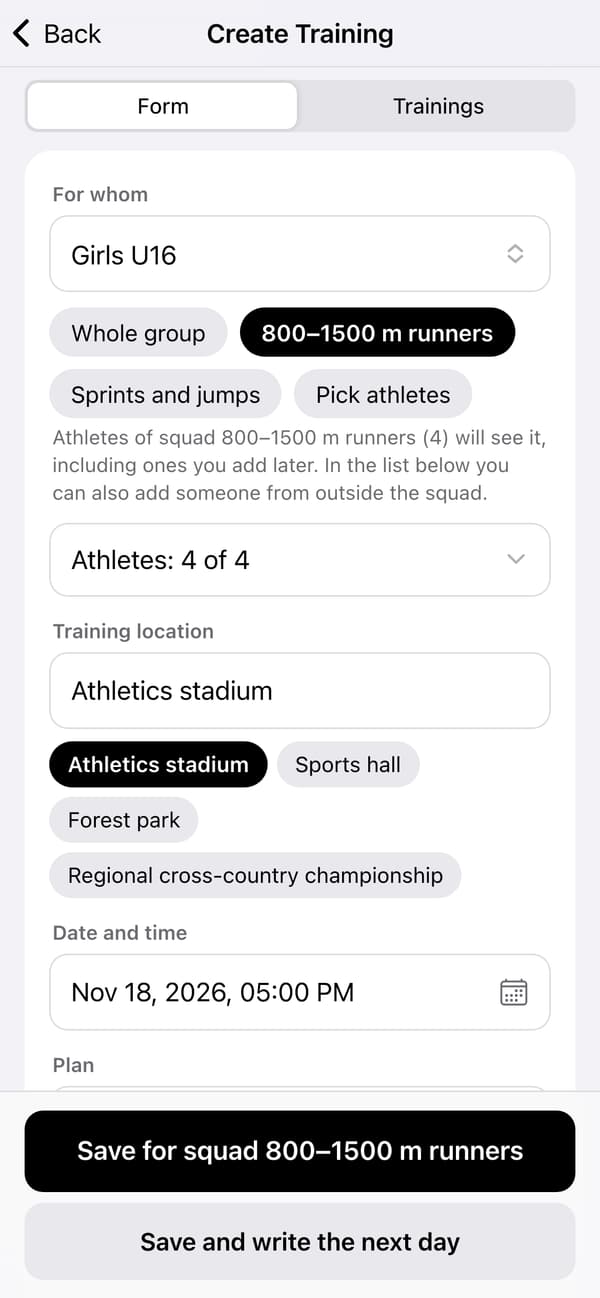
You write the whole week
Fill in Monday’s training and tap Save and write the next day to go on to Tuesday: the athletes, place and time stay, the plan is empty. The places you train at most are a tap away.
-
Monday
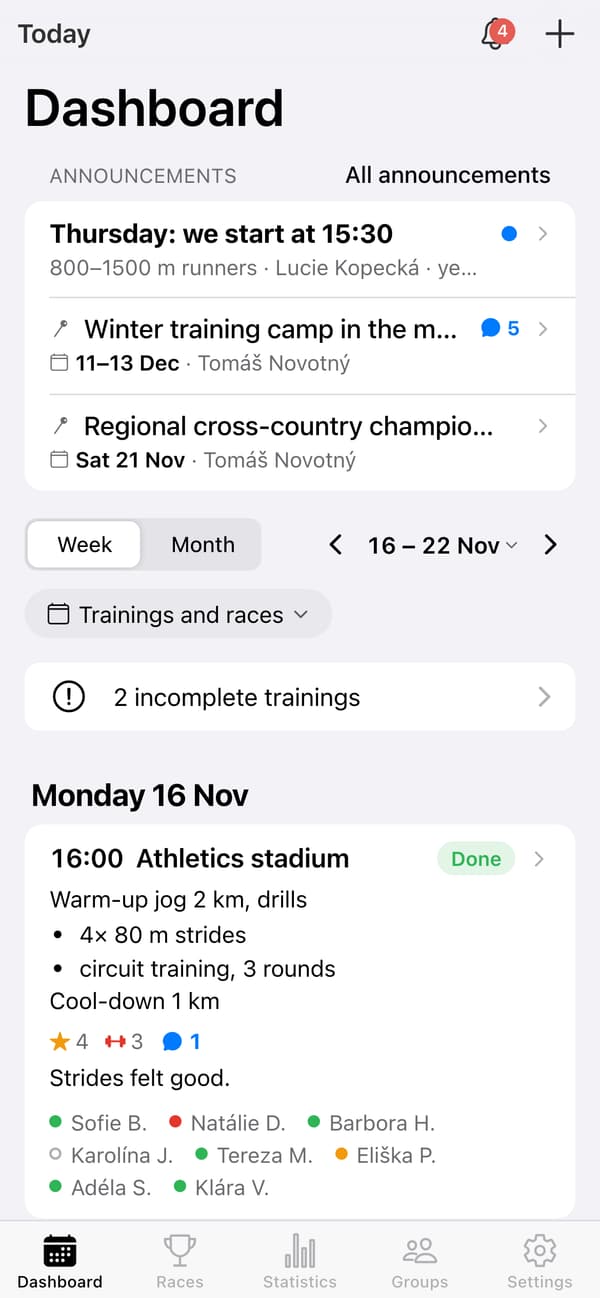
Athletes have the week on their phone
The dashboard shows their trainings day by day, with your announcements on top, like a training camp. Anyone who can’t make it opens the training and picks Excused, even for a whole week; the other athletes don’t see it.
-
After training
Logs and replies
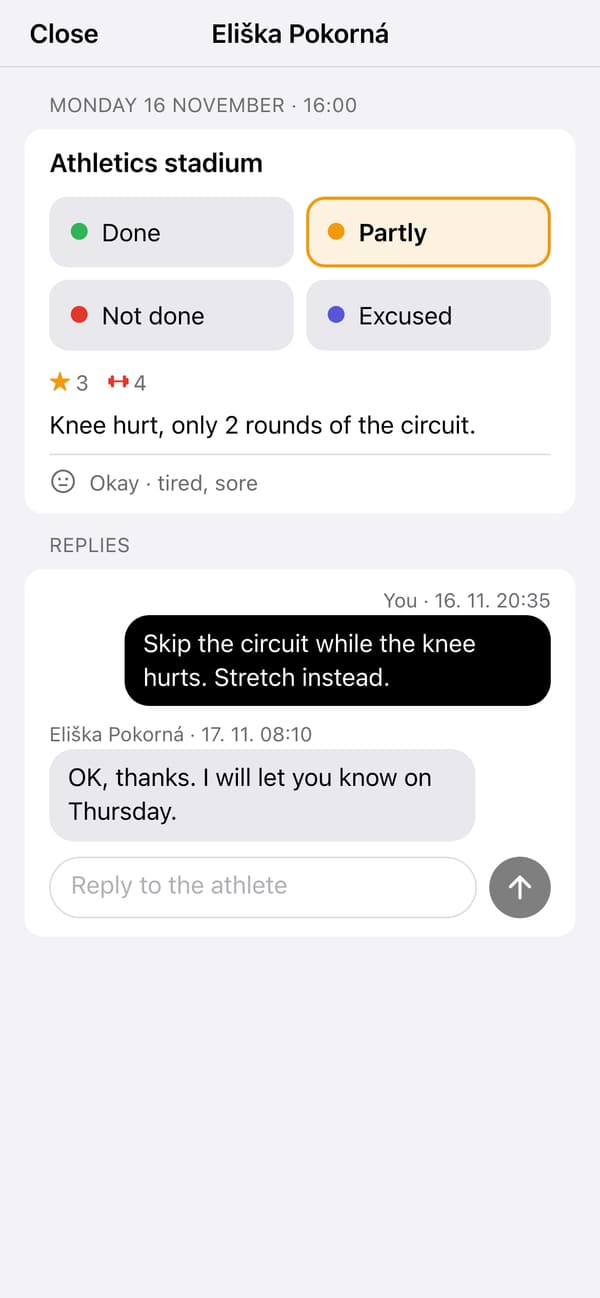
Athletes log whether they did the training, rate it with a star and a dumbbell and add a note. You reply under the log. For those who logged nothing, you mark attendance yourself.
-
Saturday
Race day: who goes and how it went
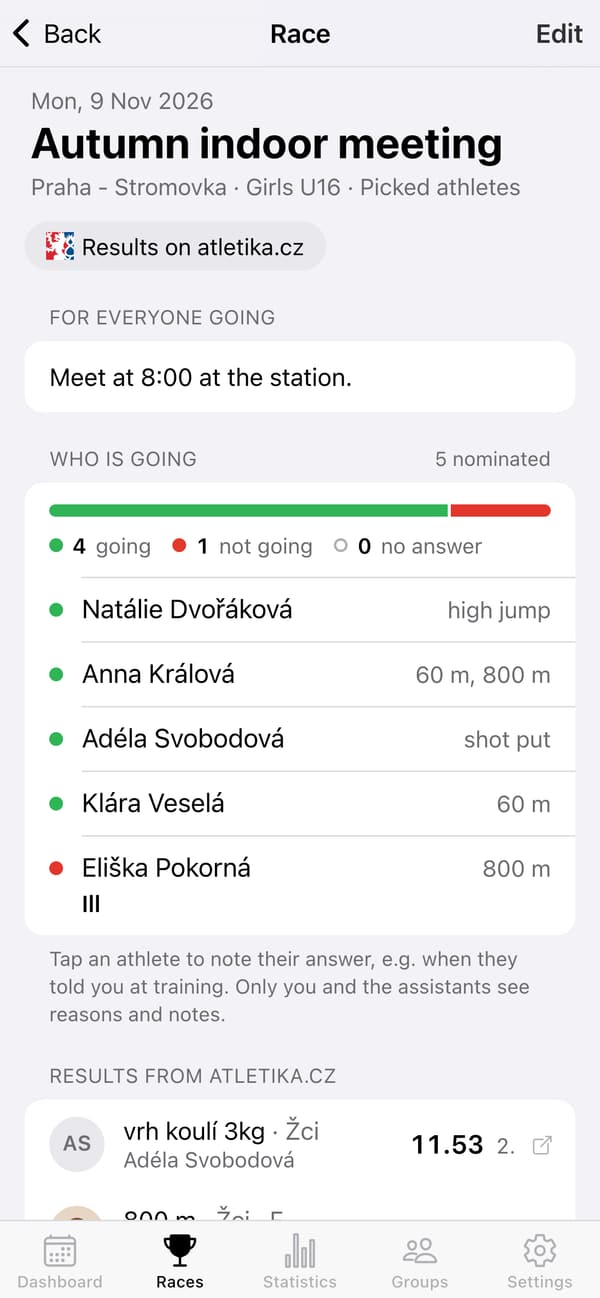
Pick the race from the atletika.cz calendar and nominate athletes with their events. They answer Going or Not going, and after the race their results appear on it by themselves.
-
Sunday
Look back, plan ahead
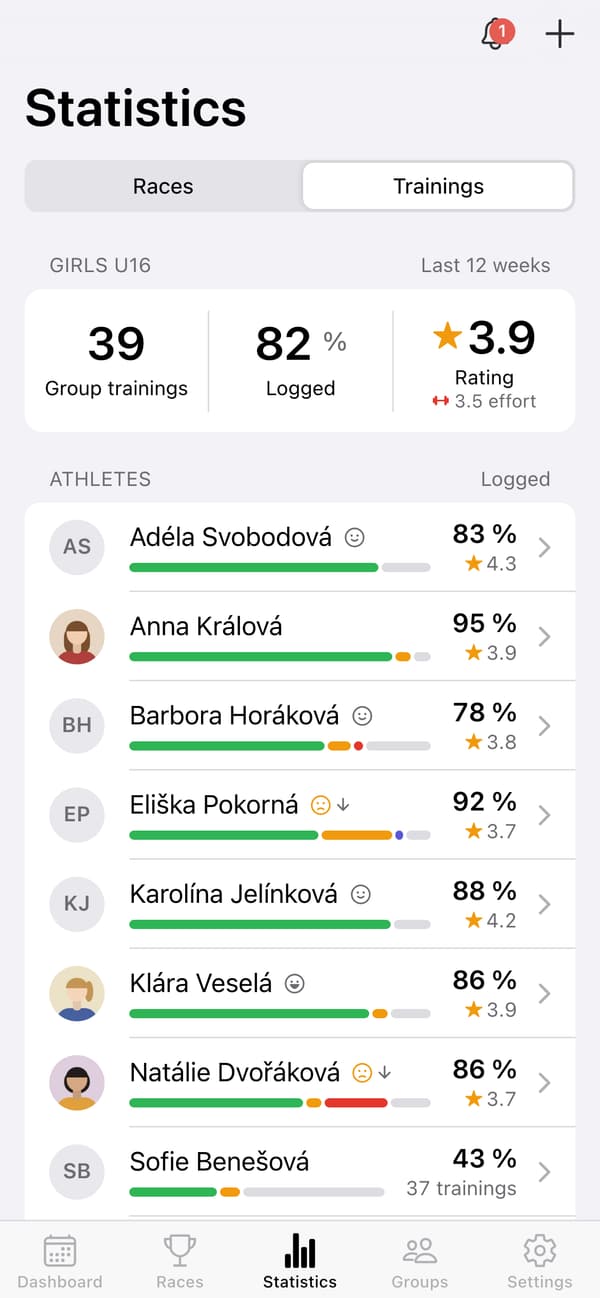
Training statistics show the last 12 weeks: how many trainings there were, how many the athletes logged and how they rated them. Then you write the next week.
Results and statistics
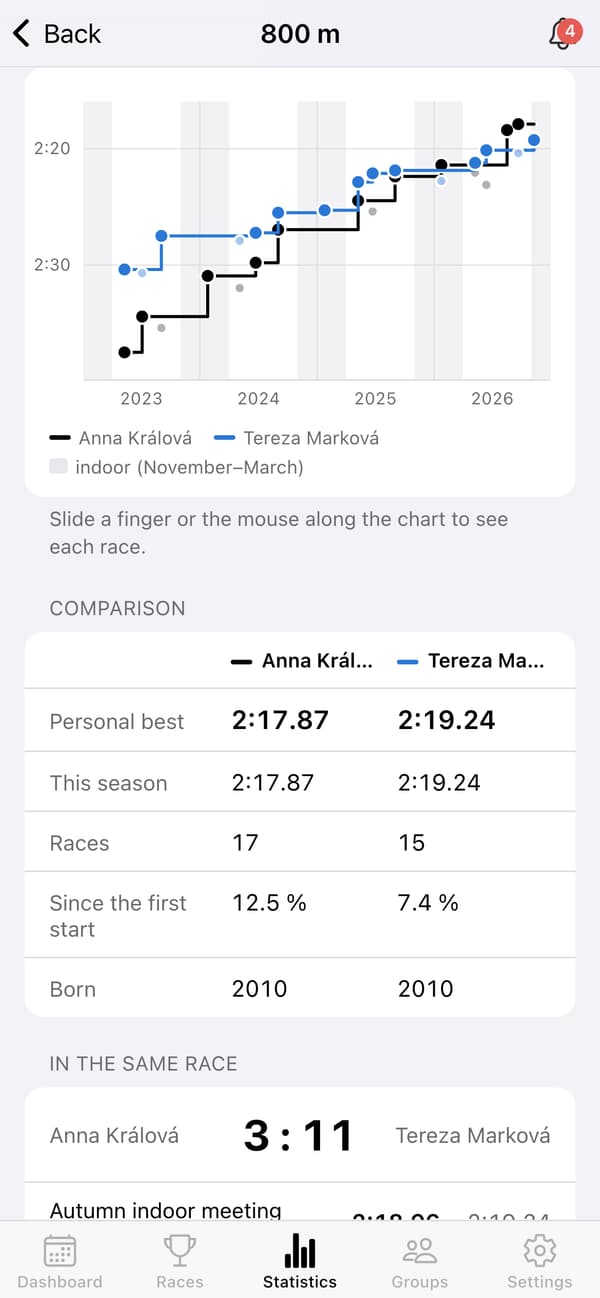
Results from atletika.cz and PBs in a chart
Atrain takes the Czech Athletics Federation’s public results from atletika.cz. A planned race gets them by itself; link an athlete to their profile once to load their whole history.
PBs and progress
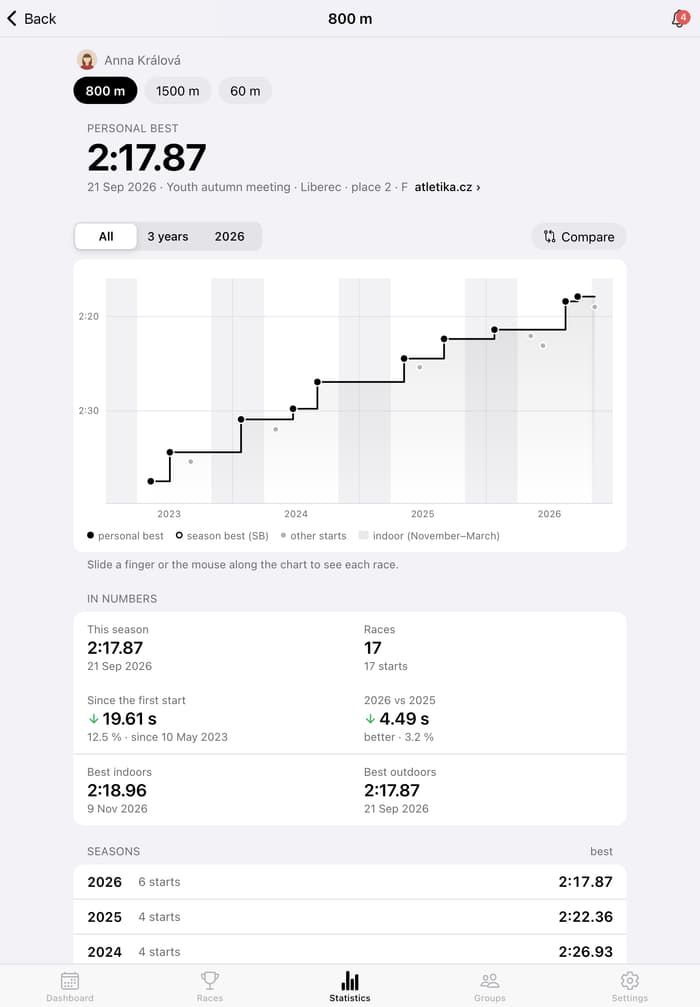
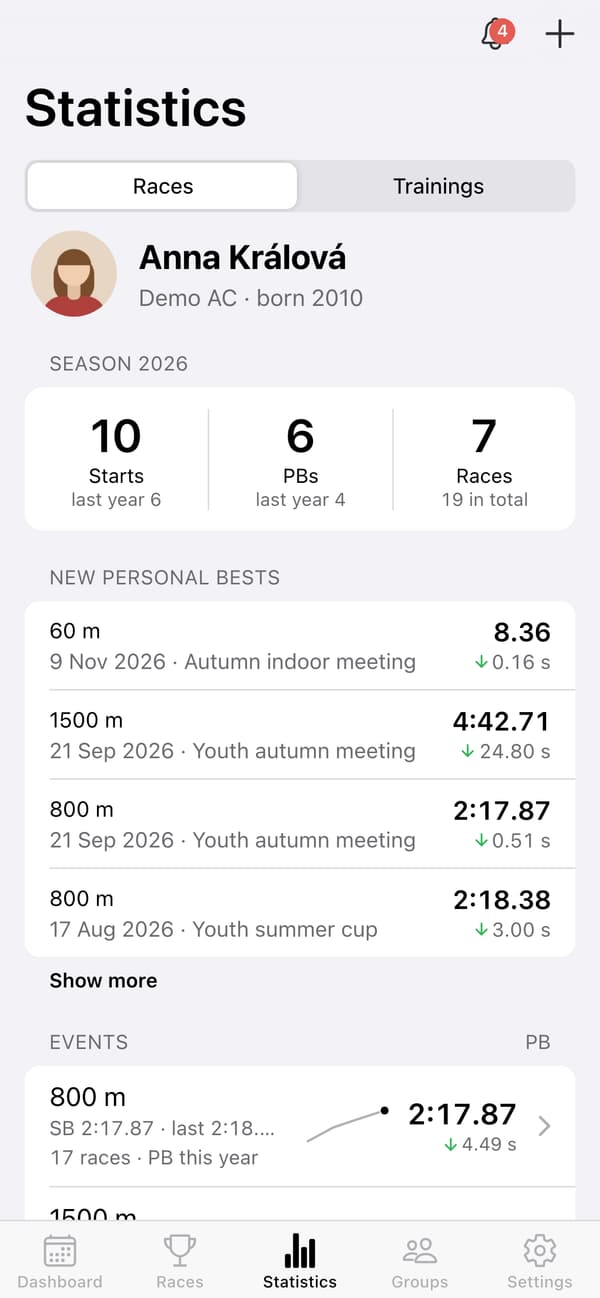
For every event: the personal best, the season’s best and a chart of every race. A wind-assisted mark is flagged (5.24w) and doesn’t count as a PB.
Compare with anyone
Compare results with any athlete on atletika.cz, by date or by age: see who was further at the same age.
The whole group
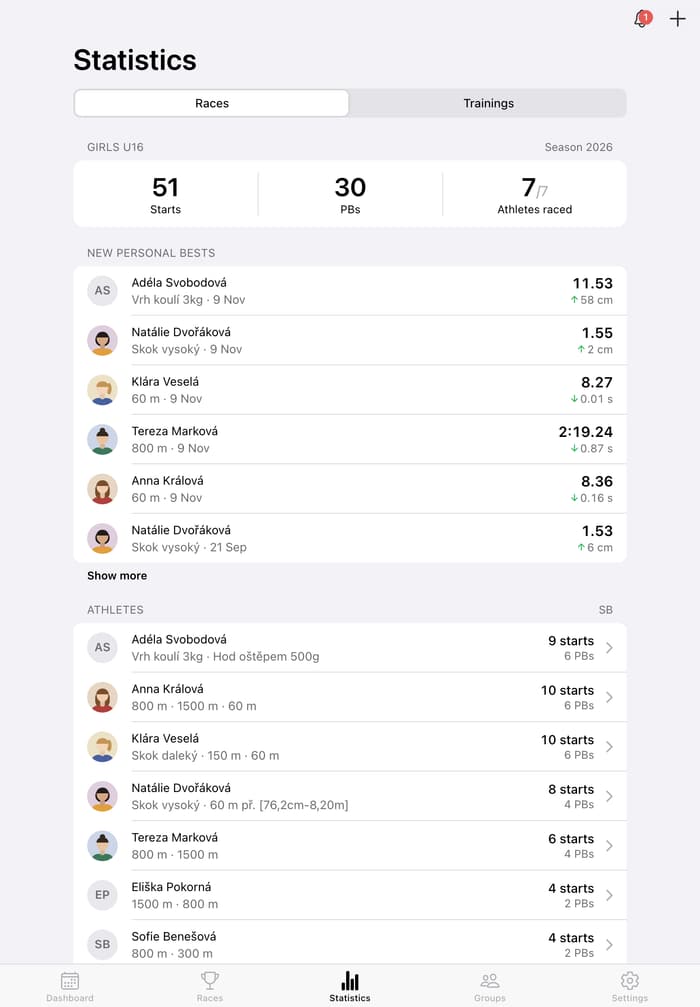
Coaches see this year’s starts and new PBs of all their athletes in one place.
Where it runs
On your phone, tablet and computer
Atrain runs in the browser, there is nothing to install. On a computer you see the week with a training open next to it; on your phone you have it all with you at the track.
And also
Squads
Distance runners, sprints and jumps… A squad’s trainings also go to athletes who join it later.
Assistants
Another coach can write trainings and manage the group with you.
Readiness
Switch it on for the group and athletes answer how they feel with one tap on training days. You see who is lower than usual on the training.
Phone calendar
Trainings and races show up by themselves in your iPhone calendar or Google Calendar.
Personal trainings
Athletes log extra trainings and their coach sees them. A coach’s personal training is theirs alone.
Print the week
Print the group’s week, or one athlete’s, for the notice board at the track.
Guide
A guide to everything, with pictures
Every step is in the guide, with screenshots from the app. The guide is in Atrain too.
Questions
Questions
Do I have to install anything?
No. Atrain runs in the browser on a computer, tablet or phone. Just sign up.
How do I get my athletes into the group?
Type their email addresses in the group and Atrain sends them an invitation. Anyone without an account signs up straight from the link and is in the group once they confirm their email.
Where do the race results come from?
From the Czech Athletics Federation’s public results on atletika.cz. For a race you plan from the atletika.cz calendar, the nominated athletes’ results appear by themselves once atletika.cz publishes them. You can also link an athlete to their profile: their whole history loads, and you update it whenever you need.
Who sees my athletes’ notes?
Only the athlete and the coach and assistants of their group. Other athletes only see whether they did the training.
How does an athlete say they won’t come?
They open the training and pick Excused, for that one or for several days. The reason is optional and only they and their coaches see it. An excused training doesn’t count as not logged in the statistics.
Can another coach help me with the trainings?
Yes, as the group’s assistant. Assistants can write trainings and manage the group, but can’t remove anyone.
Can I have the trainings in my phone’s calendar?
Yes. Turn on Phone calendar in the settings and add it to your iPhone calendar or Google Calendar. Trainings and races update there by themselves. The link is private, and notes and ratings aren’t in the calendar.
Which languages is Atrain in?
Czech and English. Everyone picks theirs in the settings.